Integrations
Darto connects to the tools you already use
Connect the software you already use day to day and let Darto query real-time data, automate tasks and streamline your workflows.


Integrations
Connect the software you already use day to day and let Darto query real-time data, automate tasks and streamline your workflows.
What connecting changes
Integrations can add real-time data, actions on your system and, where indicated, import your business information to configure the assistant.
The assistant reads up-to-date information from your system during conversations.
Darto can apply changes directly in your system: when you approve the request or, if you enable auto-approval, without asking for your approval, provided its conditions are met.
Darto prepares the request and you apply the change in your system.
On connect, it extracts your available business information to help set up the assistant.
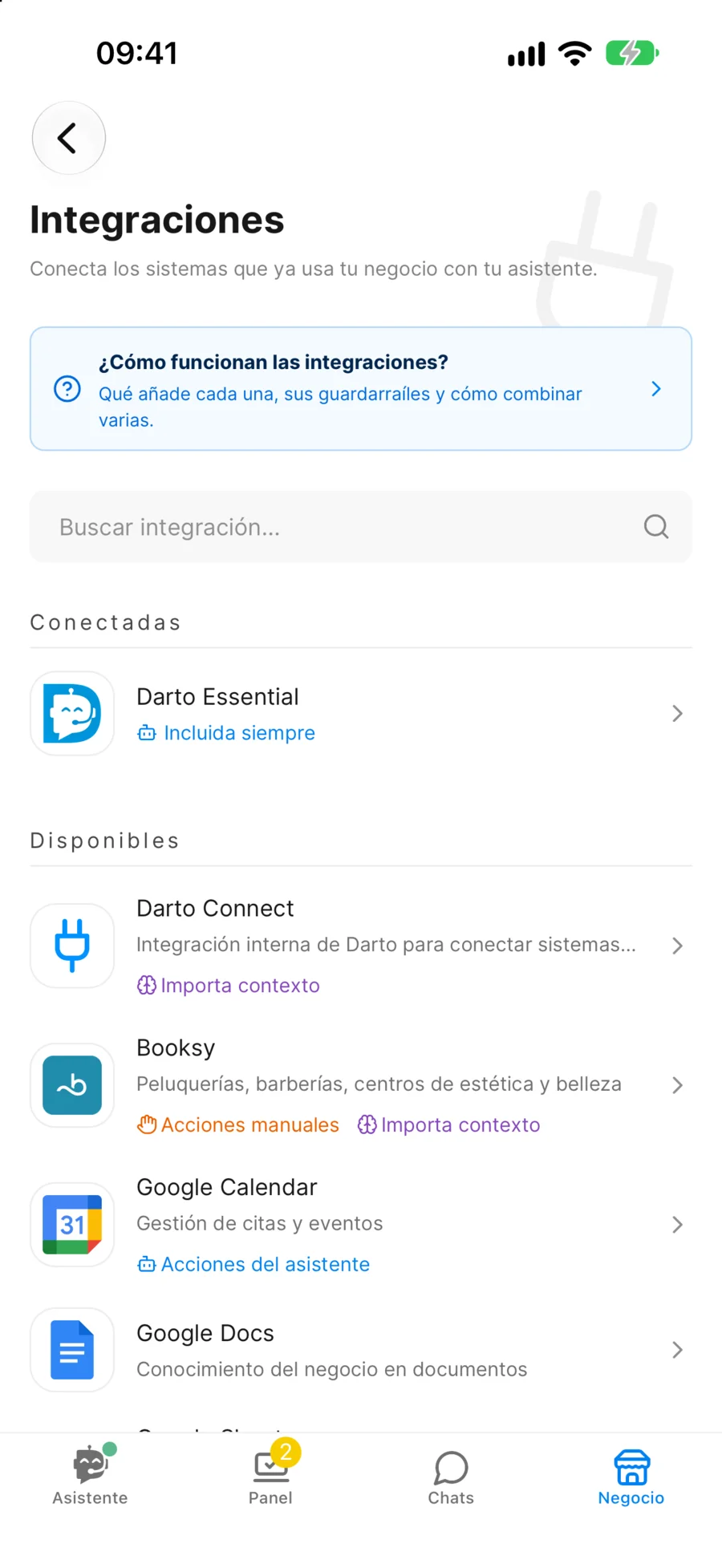
Catalogue
Open each one to see its queries and actions, and who carries out each action.
Always included
If you keep your calendar on paper, or your software isn't on Darto yet, Darto still looks after your customers: it answers questions, asks what's missing and leaves every job ready in a request. You just write it down.
Darto's built-in assistant to manage requests, information and more
Asks the client everything needed in a natural way
Who, what and when, on one card. And not just appointments: orders, quotes… whatever you ask for in your instructions or in a flow.
You accept, write it down wherever you work and Darto confirms it to the customer.
Darto can't see a paper notebook. Tell it your hours and what's usually booked up in the instructions, and confirm each request yourself. If you want it to see your real free slots, connect a Google Calendar or a Google Sheets spreadsheet (both are free).
Without an integration, Darto does not automatically sync with external software. You decide what information to provide to the assistant from the editor and can update it whenever you want.
In the Editor you describe services, prices, policies and schedules. The assistant uses that context in every conversation.
You still have flows and actions like "Escalate to human" or "Create report" to automate processes.
There will be no automatic booking sync or live availability
You will need to manually update availability when it changes
Responses depend on the context you document
Yes, you can connect your management system at any time. If the integration imports context, Darto will extract your available business information, and it will always keep everything you already customized manually.
Using other software?
Complete the form and we'll evaluate your request for future integrations.
We use industry-standard encryption and security practices to keep your data safe.
Start free and discover how Darto can transform your customer service.